
TD3 STUDIO
Never before has programming the Behringer TD-3 been this easy. Drop a MIDI file on the instrument and the sixteen steps are cut for you. Or start from scratch and play the pattern in yourself — from the keys on screen or your own MIDI keyboard — with accents and slides one modifier key away. Hear it through the built-in 303 simulator, tweak it on the plate, and WRITE it straight into the TD-3 over USB.
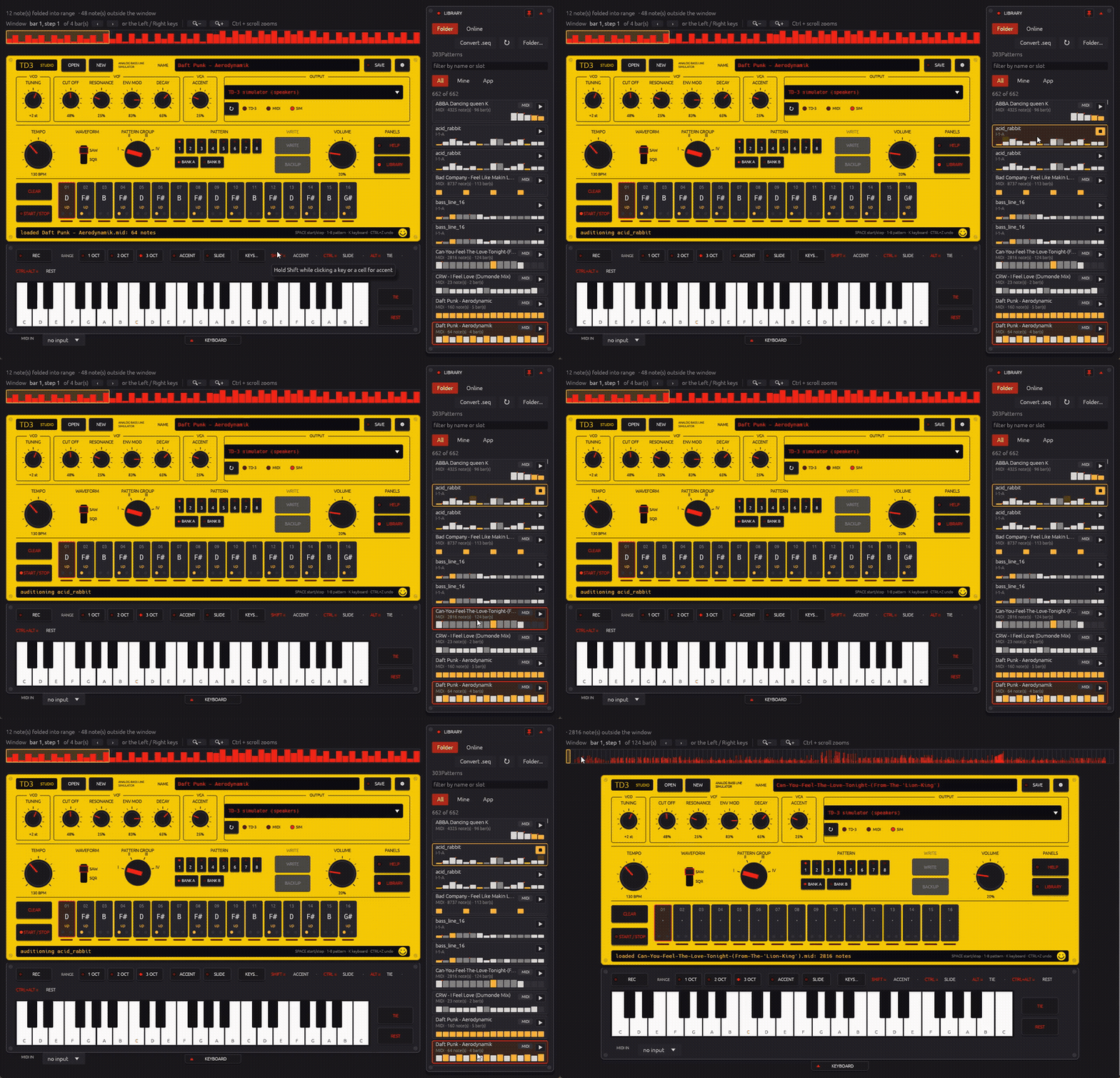
MIDI FILE, SCREEN KEYS OR MIDI KEYBOARD
Drop a MIDI file — or start from scratch
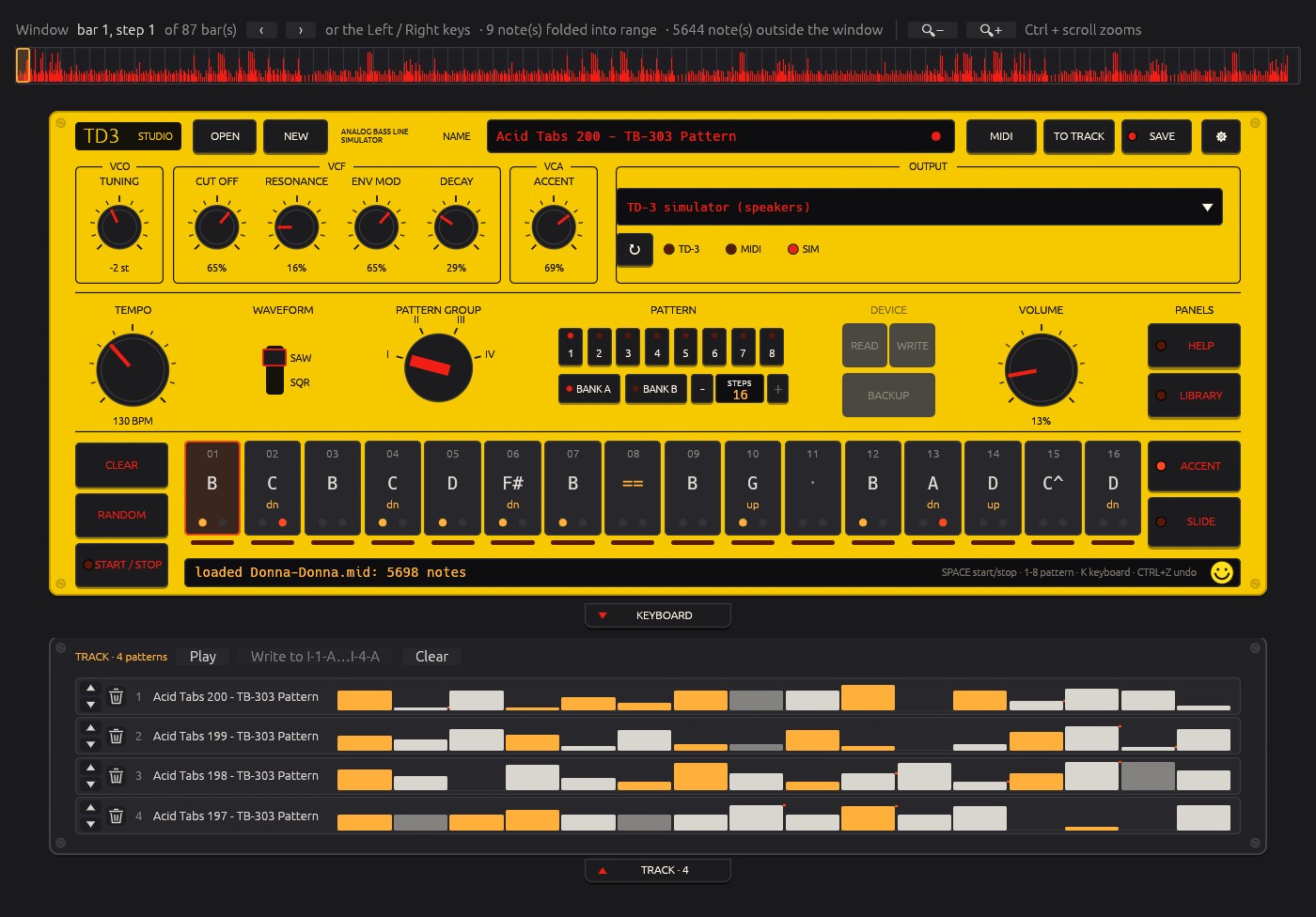
Any Standard MIDI file: slide the amber window over the bars you want and notes, octaves, accents, slides, ties and rests are cut for you. Or press NEW and start from an empty plate.
Play it in on screen
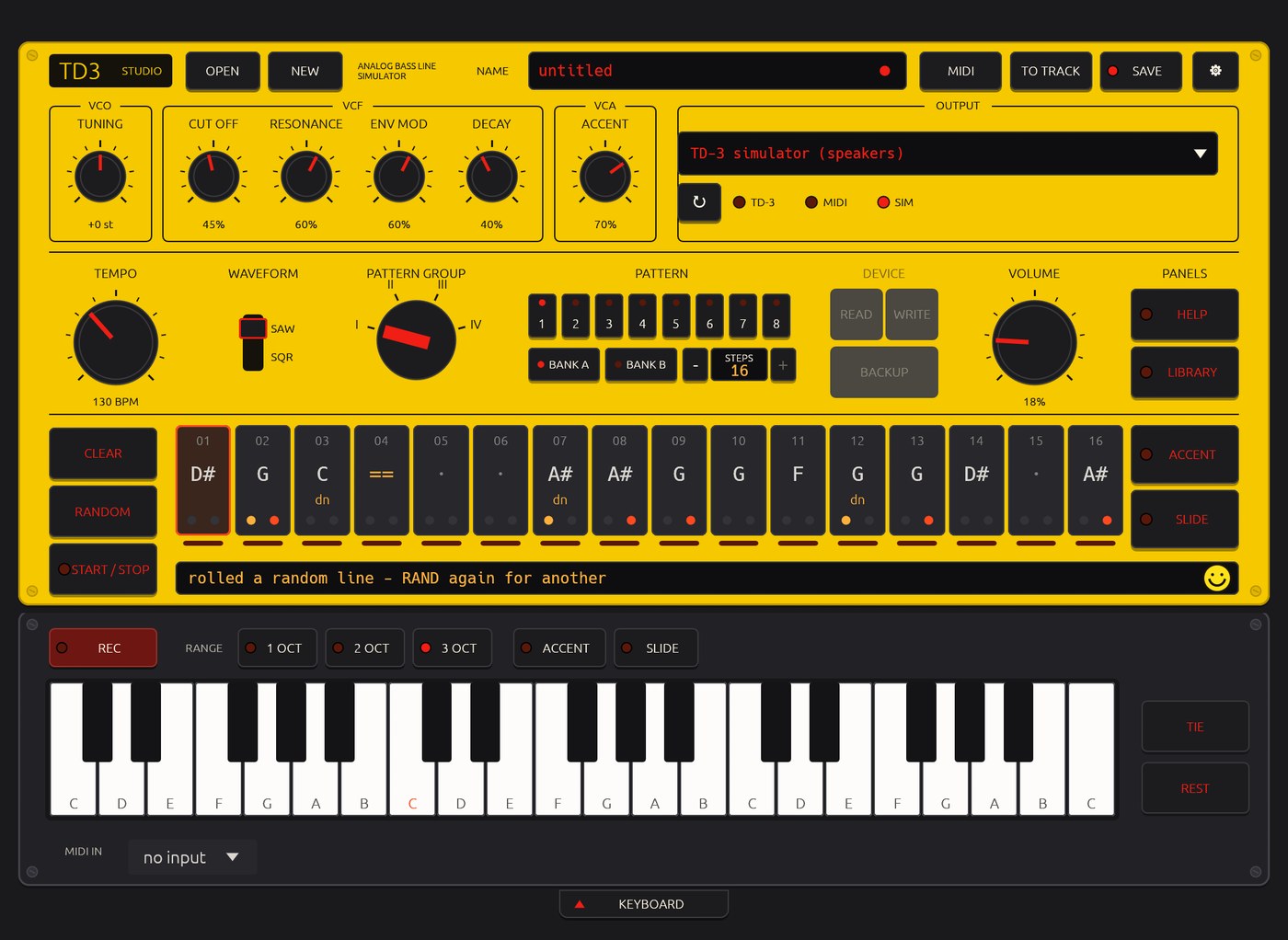
Press REC and click the three-octave keyboard: every key, TIE or REST fills the next step, 303-style.
Play it in from MIDI
Plug in a MIDI keyboard and play the same way. Velocity gives the accent, legato the slide.
Accent, slide — one modifier
Hold Shift for an accent, Ctrl for a slide (⌘ on a Mac), whether you click a step or play a key. Alt ties, Ctrl+Alt rests. Then WRITE to the TD-3.
THE PLATE IS THE TD-3
MIDI → pattern
Chords resolved the way you choose, accents from velocity, slides from legato, the root note follows the notes in the window, triplet time when you need it. Ctrl + scroll zooms the timeline to the step.
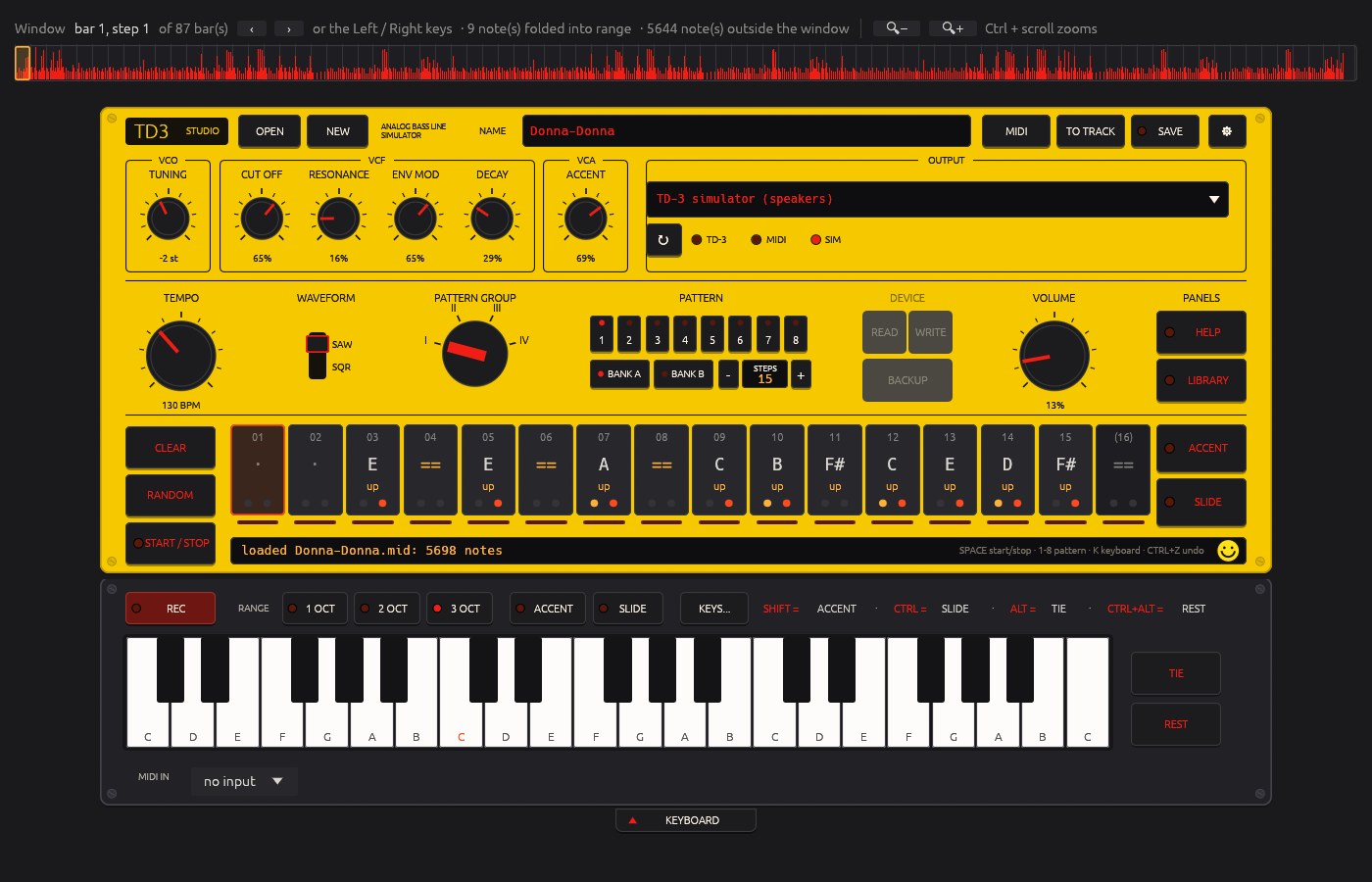
Sixteen steps, hands on
Note, octave, accent (amber) and slide (red) on every cell. Click to select, scroll to move a semitone, modifier-click for accent, slide, tie and rest. Undo included.
Play it in
Three-octave keyboard with 303-style step recording, on screen or from your MIDI keyboard. The same modifier keys set accent and slide while you play.
Hear it
Output to the TD-3 over USB, any MIDI output, or the built-in simulator through your speakers: saw or square, resonant filter, envelope, accent and slides.
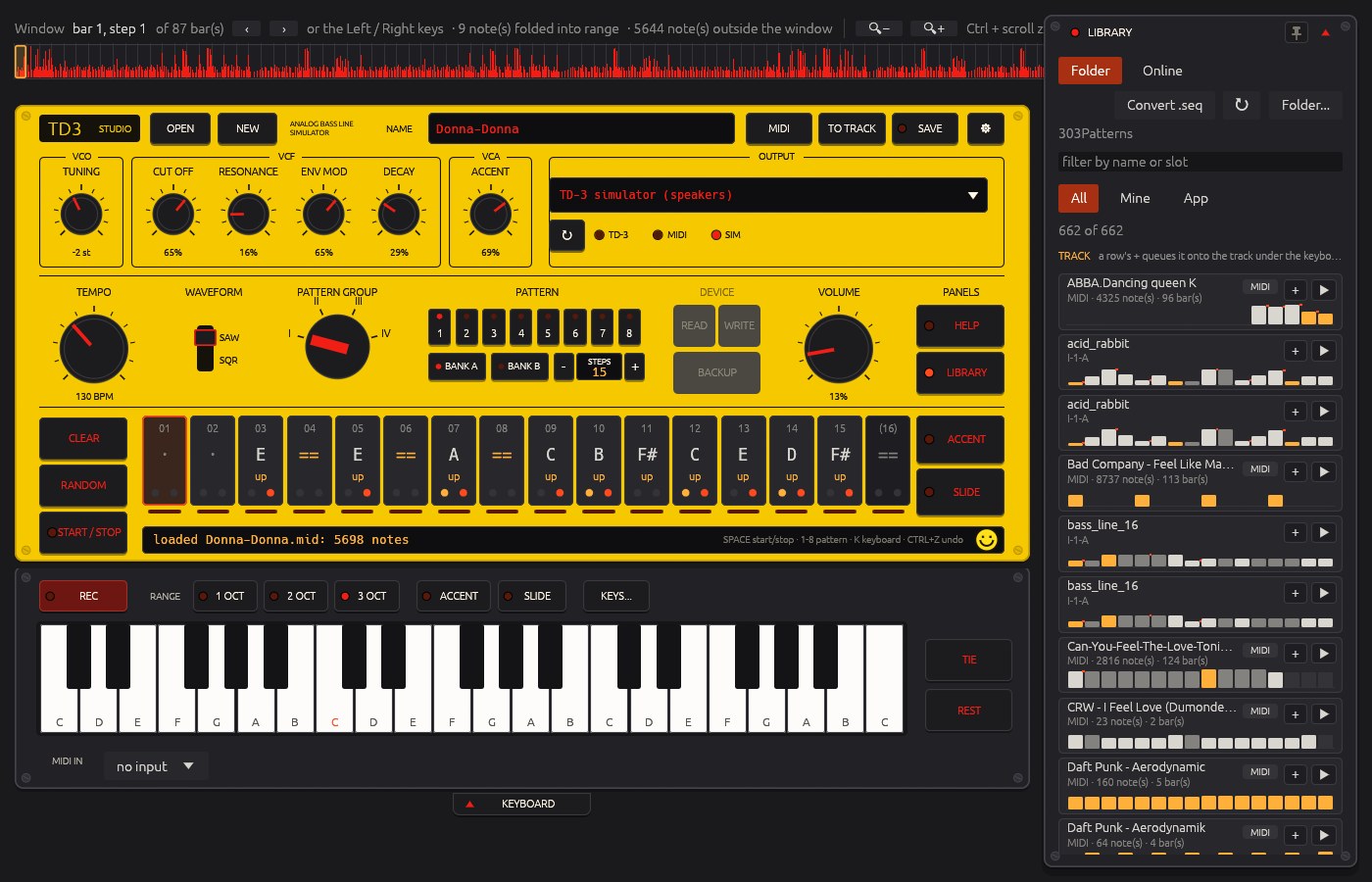
A library
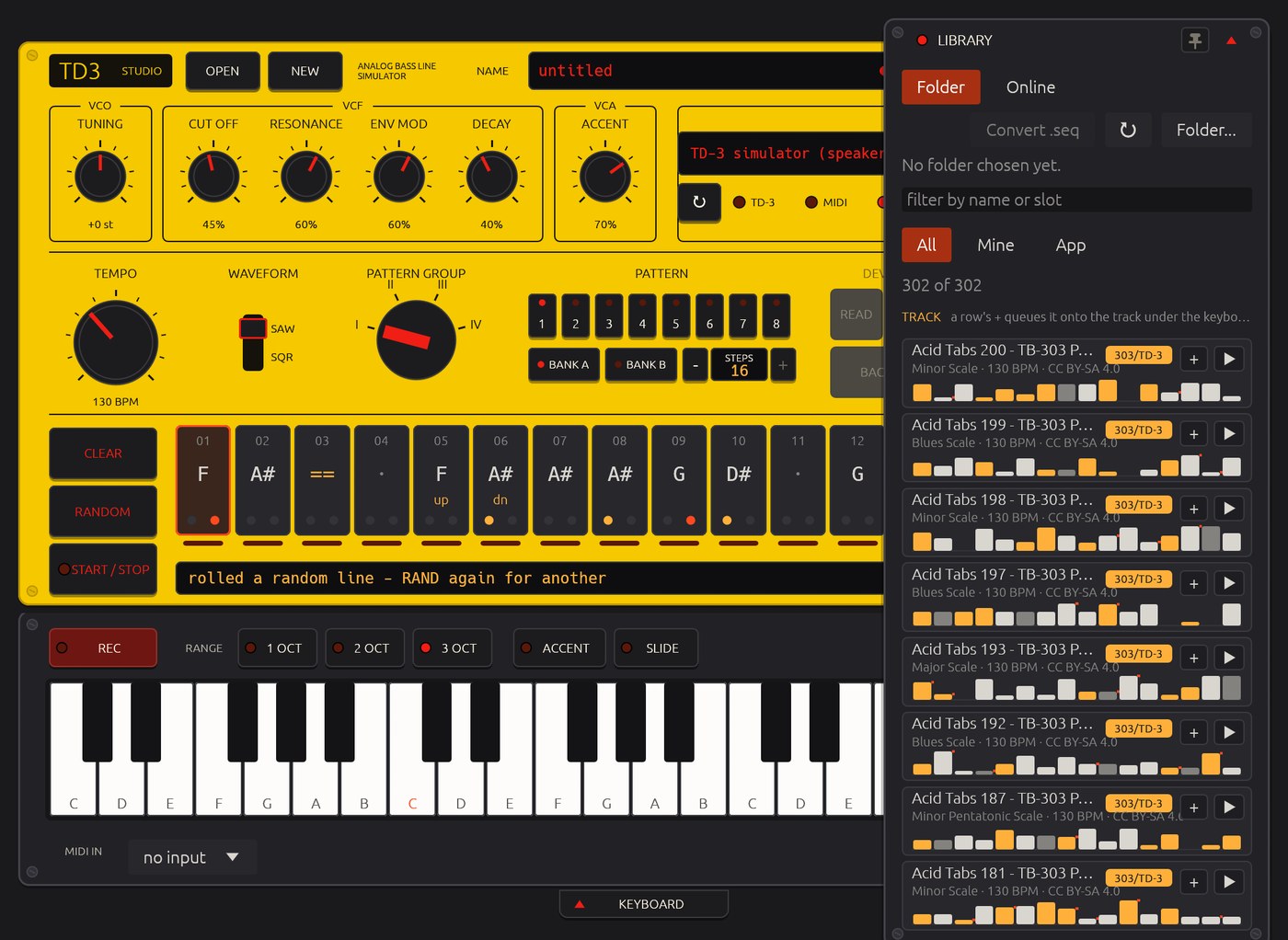
Your own .syx, SynthTribe .seq / .sqs and .mid files with thumbnails and audition, 107 bundled Acid-Tabs lines, and a search across free MIDI archives.
Build a track
Queue patterns and they play back to back, handing over exactly on the bar. Reorder and rename them in the track bay, then write the run of slots to the TD-3 — a built-in walkthrough turns it into a real track on the device.
The device, dialled in
Device setup reads and sets the TD-3 itself over USB — MIDI channels, accent threshold, key priority, clock — no SynthTribe needed. READ fetches any slot onto the plate, and RANDOM rolls a fresh acid line.
Write, back up, stay current
WRITE to any of the 64 slots; BACKUP fetches them all into a folder. Works with the TD-3 and the TD-3-MO. Free updates for life, checked once a day — and a feature request or issue is one form away, inside the app.
Speaks your language
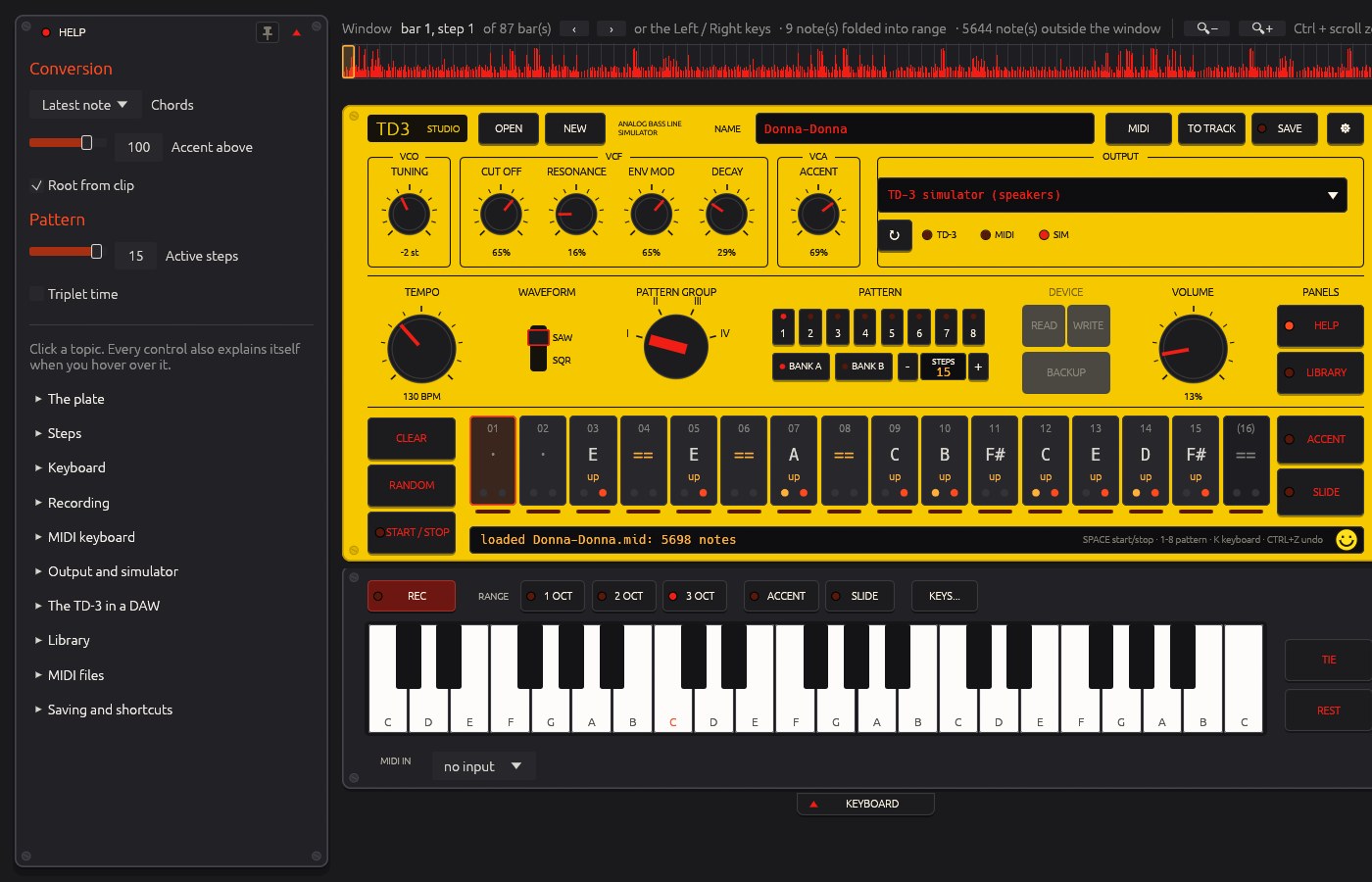
English or Spanish, chosen at the first start or under the setup key: the explanations, the introduction, every tooltip and the help. The plate keeps the TD-3’s own printing.
ON SCREEN
€20. ONCE.
- No subscription, no licence key
- Every update included
- Download link and invoice by e-mail, right after payment
- Choose your platform at checkout — the choice is final
- Both installers, one purchase
- Already own one? Buy the other platform later for €15 with the same e-mail address
- iDEAL · Apple Pay · Google Pay · cards
- The same instrument, built for touch: iPadOS or iOS 17 or later
- Bought once, on every iPad and iPhone signed in with your Apple ID
- Separate from the desktop licence — Apple sells it, Apple updates it
Sold by 50Hz Services (NL). Price without VAT under the Dutch small-business scheme (KOR). Requires a Behringer TD-3 or TD-3-MO over USB for WRITE and BACKUP; without hardware everything works through the simulator.
TD3 STUDIO FOR IPAD & IPHONE
The whole instrument on the iPad’s screen, made for fingers: knobs turn by drag, a long press explains, ACCENT and SLIDE sit as keys under HELP and LIBRARY, and the plate fits itself to the screen. On the iPhone the same tools spread over three screens — PATTERN, SOUND and DEVICE — between a header and a transport strip that stay put. Patterns and MIDI files live in the Files app, so a MIDI file opens straight from Files with Share › TD3 Studio.
- Everything the desktop app does: MIDI files onto the plate, the on-screen keyboard with 303-style step recording, the built-in simulator through the device’s own speakers, the library with the bundled Acid-Tabs lines and online search, WRITE and BACKUP over USB.
- One app for both: the iPad keeps the whole plate in landscape, the iPhone arranges the same controls across PATTERN, SOUND and DEVICE in portrait, and a key, Tie or Rest fills the selected step and moves on — sixteen taps for a pattern.
- On a USB-C iPad or iPhone the cable has to make the device the USB host: Apple’s USB-C to USB Adapter with the TD-3’s own USB cable (surest), or a USB-C to USB-B data cable that follows the USB-C standard — a branded USB-C printer cable, not charge-only; cheap ones lack the 5.1 kΩ resistor on the CC pin that says “you are the host” and then work on a PC but not on a phone. Never a USB-C to USB-A plug-to-plug cable. A Lightning iPad: an MFi Lightning to USB-B MIDI cable or Apple’s Lightning to USB Camera Adapter (the plain USB 2 one). The TD-3 runs on its own power.
- No cable at all: a Bluetooth MIDI adapter (a CME WIDI, say) on the TD-3’s MIDI IN pairs from the OUTPUT menu.
- English and Spanish, help inside the app, Report an issue straight to the maker — no account, no analytics, no tracking.
TD-3 QUESTIONS, ANSWERED
RD6 STUDIO
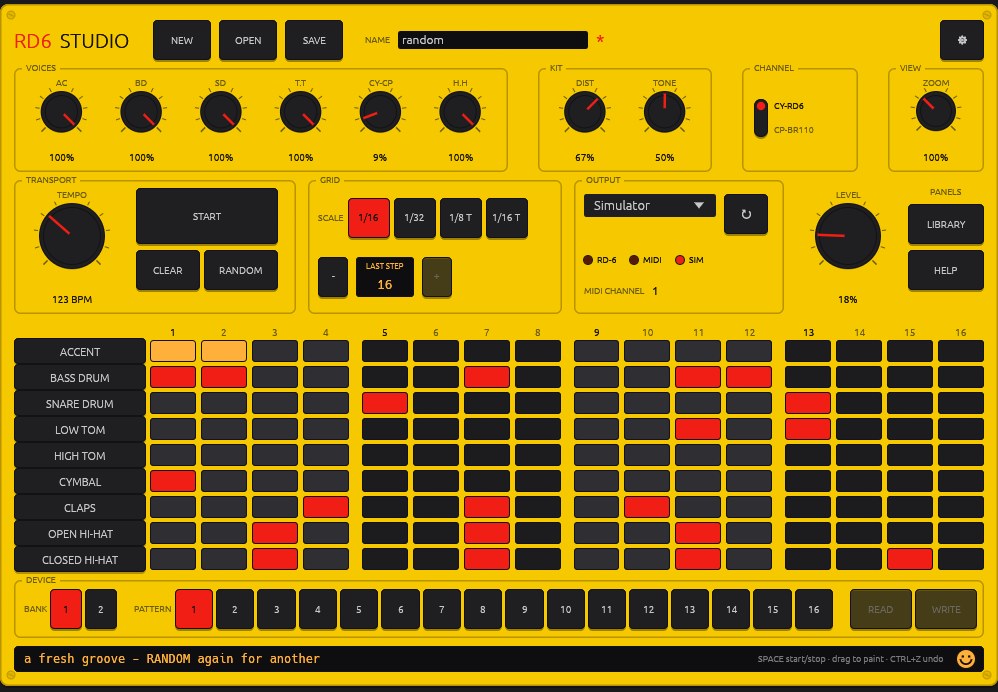
The same idea, for the Behringer RD-6 drum machine: paint a drum pattern on a 9×16 grid, hear it through a built-in 606 simulator with the RD-6’s own voice panel, and WRITE it into any of the machine’s 32 slots over USB. Fifty bundled grooves in twelve styles, BitMidi search, and any MIDI file’s drum track cut into bars.
FAQ
Does it work with the TD-3-MO?
Yes. WRITE, BACKUP and playing through the device work on the TD-3 and the TD-3-MO over USB. Tone lives on the device; the knobs on the plate drive the simulator.
Can I enter patterns without a MIDI file?
Yes. Press REC and play the steps in from the on-screen keys or your MIDI keyboard, 303-style: every key, TIE or REST fills the next step. Hold Shift for an accent or Ctrl for a slide while you play — the same keys that edit a step on the plate.
Windows says "Windows protected your PC" / macOS says "unidentified developer".
The installers are not code-signed yet, so both systems warn once. Windows: More info › Run anyway. Mac: right-click › Open. Step by step, with pictures: installation guide.
How do updates work?
Updates are free for life. TD3 Studio checks once a day and, when you agree, installs the new version itself (on a Mac the new disk image opens in Finder) — on Windows, Mac and Linux. Under the setup key you choose the ring: the latest build, or always one version behind it — a fresh release then waits until the next one is out, and from the latest you can step back one.
Can I switch from Windows to Mac later?
The platform you pick at checkout is final — no swap, no refund. A licence for the other platform costs €15 with the same e-mail address, or take both at once for €35.
Lost the download link?
The link in your e-mail is valid for 30 days; after that the app updates itself. Lost the mail? Use Report an issue… in the app or write to td3-studio@50hz-services.nl.
Is there an iPad or iPhone version?
Yes: TD3 Studio for iPad and iPhone is on the App Store (€24.99, one purchase for both, iPadOS or iOS 17 or later). Apple sells and updates it, so it is a separate purchase from the desktop licence. It does everything the desktop app does, with the interface made for touch; patterns live in the Files app.
Which cable connects the TD-3 to an iPad or iPhone?
USB-C (iPhone, recent iPads): the cable must make the device the USB host. Surest is Apple’s USB-C to USB Adapter with the TD-3’s own USB-A to USB-B cable; a direct USB-C to USB-B cable works only if it follows the USB-C standard — a branded USB 2.0 data cable sold as a USB-C printer cable, whose C plug carries the 5.1 kΩ resistor on the CC pin that says “you are the host”. Cheap cables omit it and then work on a PC but not on a phone; a USB-C to USB-A plug-to-plug cable can never work. Lightning iPad: an MFi Lightning to USB-B MIDI cable (the kind sold for keyboards) or Apple’s Lightning to USB Camera Adapter — the plain USB 2 one; a charging cable does not work. The TD-3 runs on its own power. Or skip the cable: a Bluetooth MIDI adapter such as a CME WIDI on the TD-3’s MIDI IN pairs from the OUTPUT menu.
Something is wrong, or I have an idea — how do I reach you?
In the app: setup key › Report an issue or request a feature…. Pick Something is wrong or Feature request, write a few lines, and it lands straight with us — no account needed, your version and setup go along. Release notes live on GitHub.